





Table of Contents
[ Show/Hide ]- • Forex Rebate Payments Start With Account Confirmation
- • What Confirmed, Pending, and Rejected Account Status Mean
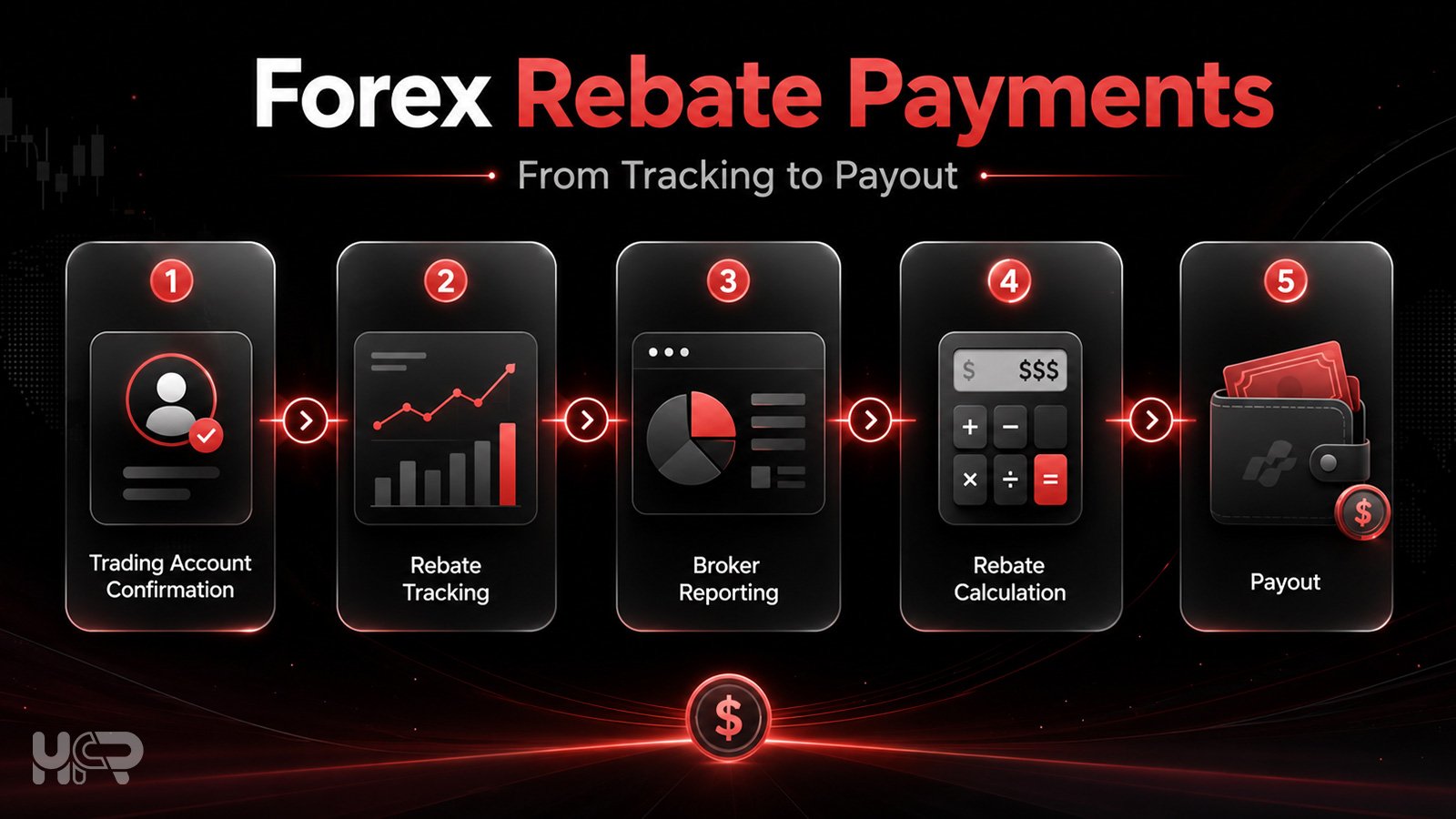
- • From Tracking to Payout: Main Stages
- • What to Do If Your Account Is Pending for More Than 24 Hours
- • What to Do If Your Account Is Rejected
- • How Brokers Report Eligible Rebates to HFR
- • How Forex Rebates Are Calculated
- • Why Your Rebate Amount May Be Lower Than Expected
- • Weekly and Monthly Rebate Payouts to HFR Accounts
- • Direct Broker Account Payouts vs HFR Account Payouts
- • How to Withdraw Rebates From Your HFR Account
- • Quick Checklist Before Expecting a Rebate Payout
- • Risk and Cashback Note
- • FAQ
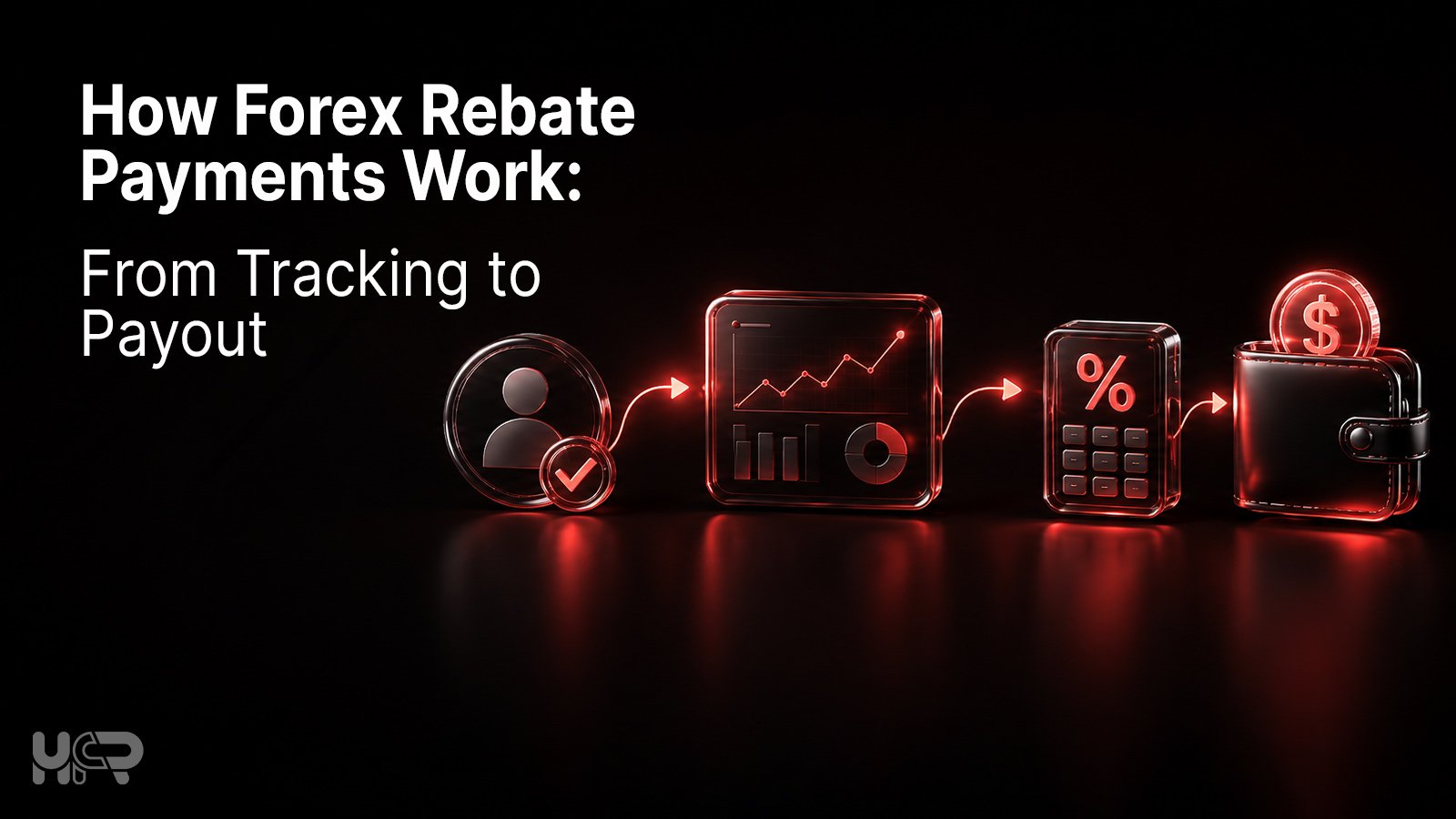
If you added a broker account to HighFxRebates and still do not see rebates, the reason is usually connected to account confirmation, broker reporting, or payout timing. Forex rebate payments do not move straight from trading to withdrawal. They usually pass through tracking, confirmation, calculation, and payout. If you are new to the basic idea, start with how forex rebates work before checking payment details.
Quick answer: HFR rebate tracking starts after your trading account is confirmed by the HFR team. Eligible trades made after confirmation can be tracked according to the broker’s rebate rules and payment schedule. Some brokers pay rebates to your HFR account, while others pay directly to your broker account or broker wallet.
Data checked: July 2026. HFR withdrawal methods, fees, payout timing, and broker rebate rules can change, so you should check the live dashboard and broker rebate page before requesting a withdrawal.
This guide explains how forex rebate payments work from account confirmation to payout, including pending and rejected account status, broker reporting, weekly and monthly payments, direct broker payouts, and HFR withdrawals.
Forex Rebate Payments Start With Account Confirmation
Forex rebate payments do not start only because a user has registered on HighFxRebates or submitted a trading account number. The account first needs to be reviewed and confirmed by the HFR team.
After adding a broker account in the HFR dashboard, the system records the account number for checking. The HFR team then reviews whether the trading account can be tracked under the correct broker partnership and rebate conditions.
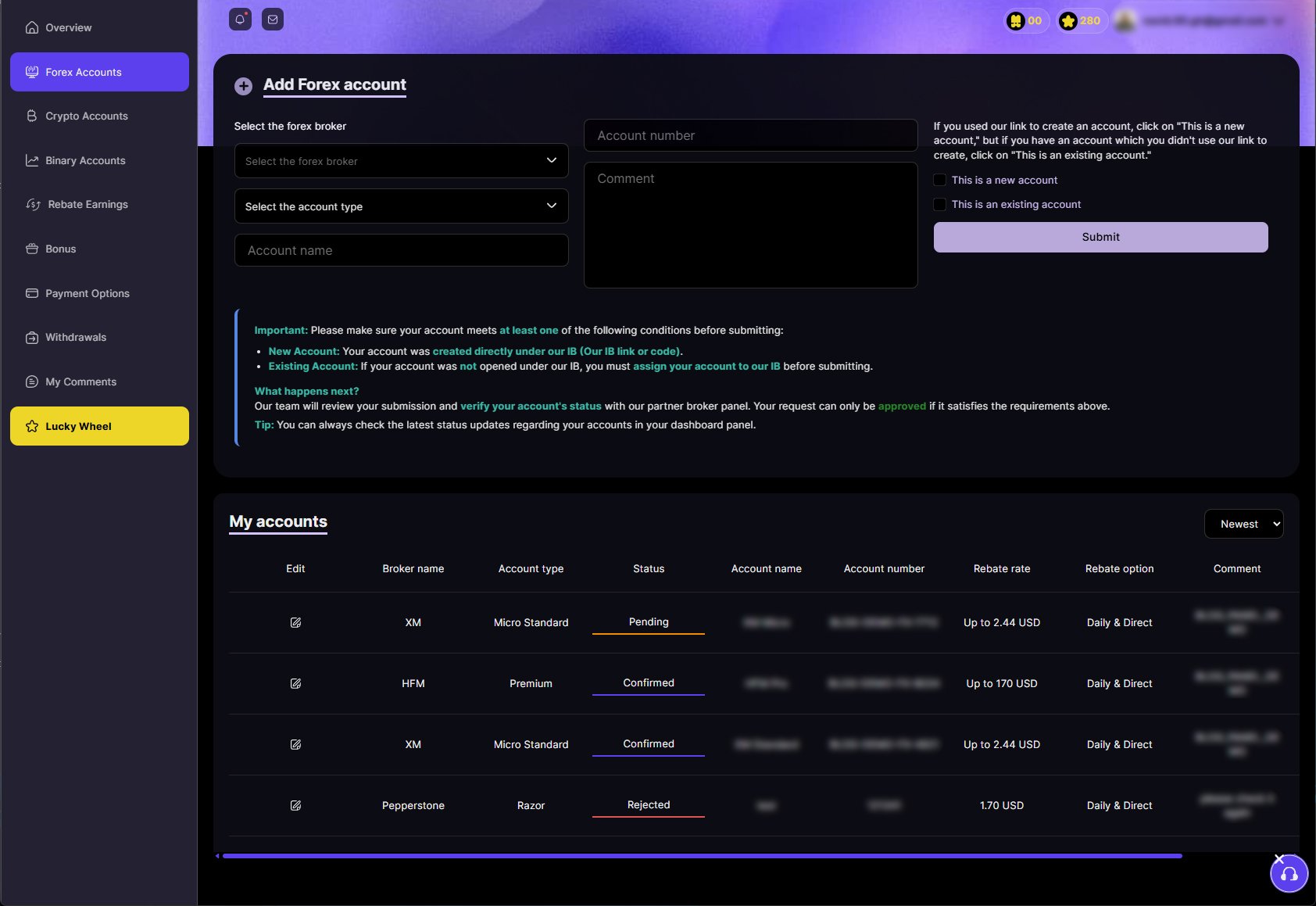
Rebate tracking starts from the time your account is confirmed by HFR. Trades made before confirmation are not eligible unless the broker or HFR rules say otherwise.
This matters because adding an account and being approved for rebates are not the same step. A submitted account may still be pending, may need extra linking steps, or may be rejected if it cannot be tracked correctly.
For this reason, older trades may not appear in the rebate history even if the account is later confirmed. Once the account is confirmed, eligible trades made after confirmation can be tracked according to the broker’s rebate rules and payment schedule.
What Confirmed, Pending, and Rejected Account Status Mean
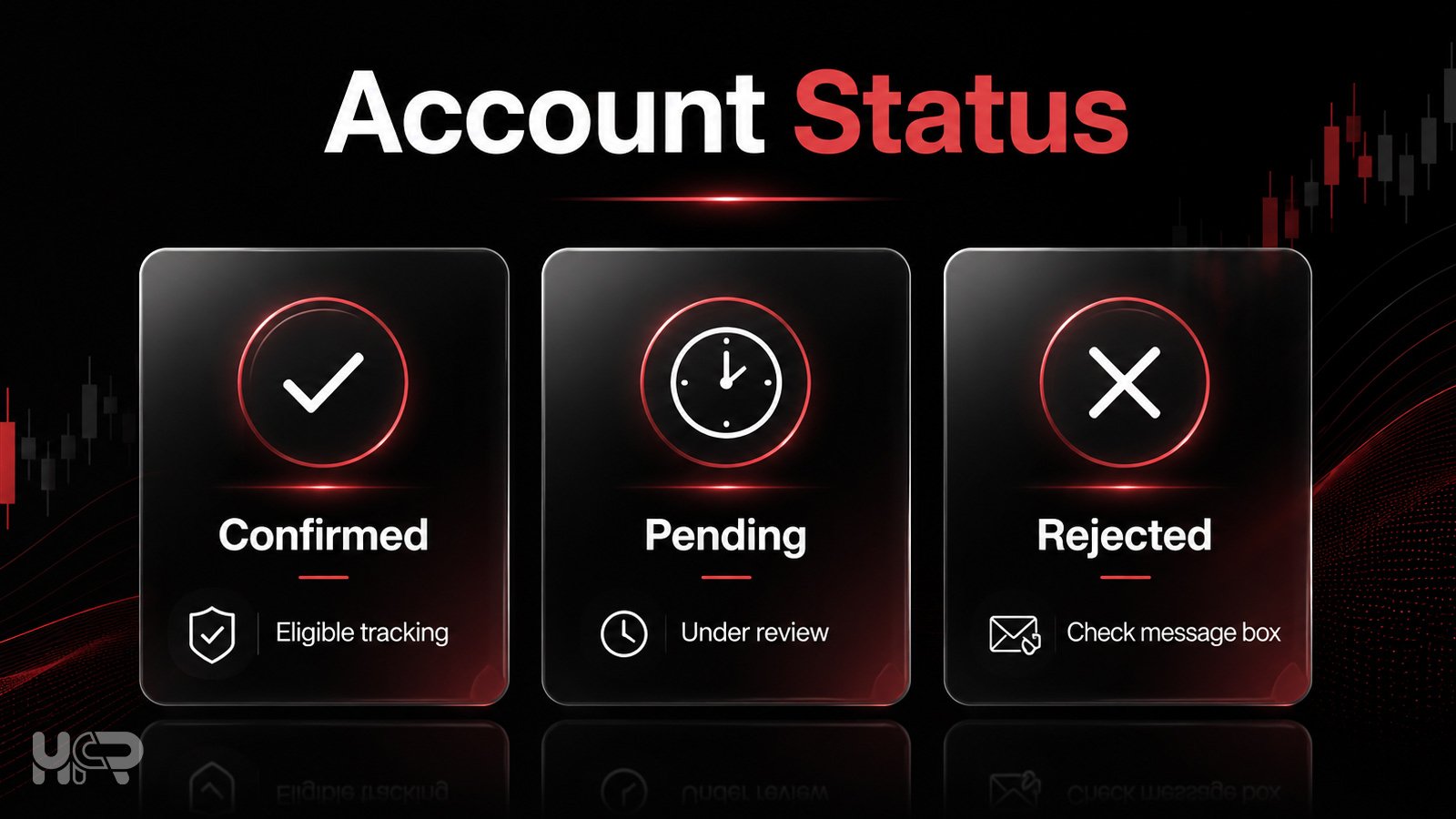
After a user adds a broker account in the HFR dashboard, the account can show different statuses. These statuses explain whether the account is ready for rebate tracking or still needs review.
| Status | What It Means | What the User Should Do |
|---|---|---|
| Confirmed | The account is approved for eligible rebate tracking from the confirmation time. | Trade eligible instruments and check the broker’s payout schedule. |
| Pending | HFR is still checking the account or waiting for the account to be found under HFR tracking. | Wait for review, and check email, spam inbox, and the HFR message box. |
| Rejected | The account could not be approved for rebate tracking. | Check the HFR message box for the rejection reason and next steps. |
A pending status does not always mean there is a problem. In some cases, the HFR team may still be checking the account with the broker or waiting for tracking confirmation.
If the account is rejected, the user should first check the message box inside the HFR dashboard. The HFR team usually writes the reason there, such as wrong account details, an unsupported account type, or an account not found under HFR tracking.
From Tracking to Payout: Main Stages
| Stage | What Happens | What the User Should Check |
|---|---|---|
| Account added | User submits the broker account number in HFR. | Correct the broker and account number. |
| Pending review | HFR checks whether the account is correctly under the IB HFR Partnership. | Email, spam inbox, and HFR message box. |
| Confirmed | The account is approved for eligible rebate tracking. | Trades made after confirmation. |
| Broker reporting | The broker reports eligible trading activity to HFR. | Account type, instrument, and lot size. |
| Rebate calculated | HFR calculates cashback based on broker rules, or the broker calculates and reports the payable rebate amount automatically. | Rebate rate and payout schedule. |
| Paid | Rebate is paid to the HFR account or broker account. | HFR balance/history or broker wallet. |
What to Do If Your Account Is Pending for More Than 24 Hours
If your account stays pending for more than 24 hours, it usually means the HFR team has not found the number account on HFR’s IB account with the broker yet. This does not always mean the account is rejected, but it may need extra checking or linking steps.
First, check your email inbox and spam or junk folder. HFR may send instructions if your account needs to be transferred or linked under the correct HFR IB partnership.
If HFR sends transfer or linking instructions, follow them carefully. In some cases, you may need to contact the broker and request that your trading account be transferred under the HFR IB partnership. Existing account transfer is not always available and depends on the broker’s rules, account status, previous partner relationship, and approval process.
What to Do If Your Account Is Rejected
If your account is rejected, it means the account could not be approved for rebate tracking at that time. The first step is to check the HFR message box, because the HFR team usually writes the rejection reason there.
Possible reasons may include a wrong account number, missing details, an account that is not under the HFR IB partnership, an existing account that cannot be transferred, or broker's rejection of the tracking request.
Do not assume the reason before checking the message box. If the rejection message includes instructions, follow those steps first. If the message is unclear, contact HFR support with your broker name and trading account number so the team can review the case more easily.
How Brokers Report Eligible Rebates to HFR
HighFxRebates only needs your trading account number for rebate tracking. HFR does not ask for your trading password and does not have access to your broker account, trading platform, open trades, or private login details.
Rebate tracking works through partner-side broker reporting. After an account is confirmed under HFR tracking, the broker provides HFR with reports that show eligible account numbers and the rebate amounts available for payment.
These reports are used to calculate and pay rebates according to the broker’s rebate rules, account type, eligible instruments, trading volume, and payout schedule. This allows HFR to track eligible rebates without accessing the user’s private broker account.
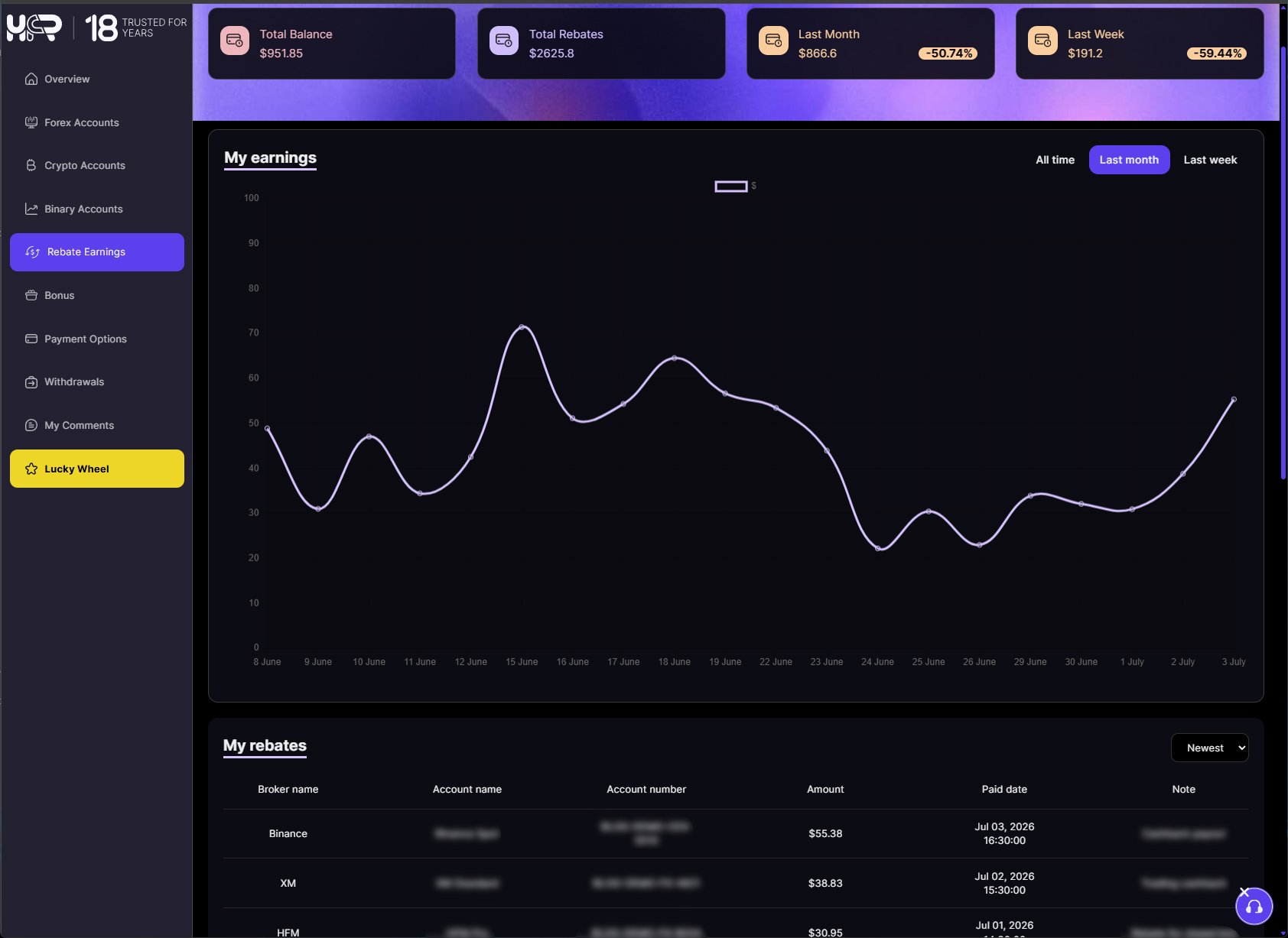
How Forex Rebates Are Calculated
Forex rebates can be calculated in different ways depending on the broker, account type, traded instrument, lot size, and rebate agreement. There is not one single formula that applies to every broker.
Some brokers calculate rebates as a fixed USD amount per lot. Others may calculate rebates in pips per lot, as a percentage of the spread, or as a percentage of the broker’s commission or revenue. For Cent accounts, the reported trading volume may also be scaled differently because one Cent lot is not always the same as one standard lot.
This is why two users can trade similar volumes but receive different rebate amounts. The final rebate may depend on the broker’s formula, the account type, the instrument traded, the lot size, and whether the trade is eligible under the broker’s rules.
Users who want to understand this more clearly can review how forex cashback per lot works before comparing broker rebate tables. The important point is to check the exact rebate formula on each broker’s HighFxRebates page instead of assuming all brokers calculate rebates the same way.
Why Your Rebate Amount May Be Lower Than Expected
A rebate amount may be lower than a user’s manual estimate for several reasons. This does not always mean there is an error. Forex rebate payments depend on broker confirmation, account eligibility, traded instruments, lot size, and the broker’s rebate formula.
Common reasons include smaller trade size, Cent account scaling, unsupported instruments, wrong account type, trades made before confirmation, broker reporting delay, bonus restrictions, or trades that are not reported as payable by the broker.
Bonus or promotion rules may also affect rebate eligibility with some brokers. Users can review forex rebates vs trading bonuses to understand why promotional conditions and rebate rules should be checked separately.
If a rebate looks lower than expected, check the account status, broker rebate table, eligible instruments, lot size, payout schedule, and HFR message box before opening a support request. For more troubleshooting, read common forex rebate mistakes.
Weekly and Monthly Rebate Payouts to HFR Accounts
Not all brokers use the same rebate payment schedule. Some brokers pay rebates to the user’s HFR account weekly, while others use a monthly payout schedule. The timing depends on the broker’s reporting cycle and the rebate conditions listed on HighFxRebates.
Weekly To HFR means the HFR team calculates and pays eligible confirmed rebates each Monday, based on GMT+0. These payments are added to the user’s HFR account balance after the broker report is checked and confirmed.
Monthly To HFR means eligible confirmed rebates are paid on the first Monday of each month, based on GMT+0. Users may not see rebates immediately after closing a trade because the broker first needs to report eligible activity to HFR.
Before opening or linking a trading account, check the broker’s rebate page on HighFxRebates so you know the eligible account types, rebate rate, payout destination, and payment schedule before trading.
Direct Broker Account Payouts vs HFR Account Payouts
Forex rebate payouts can appear in different places depending on the broker’s rebate setup. Some brokers pay rebates to the user’s HFR account, while others pay rebates directly to the user’s broker account or broker wallet.
| Payout Type | Where the User Checks | Withdrawal Route |
|---|---|---|
| To the HFR account | HFR dashboard balance and rebate history. | Supported HFR withdrawal methods. |
| Direct to broker account | Broker wallet, account area, cashback section, or transaction history. | Broker’s own withdrawal process. |
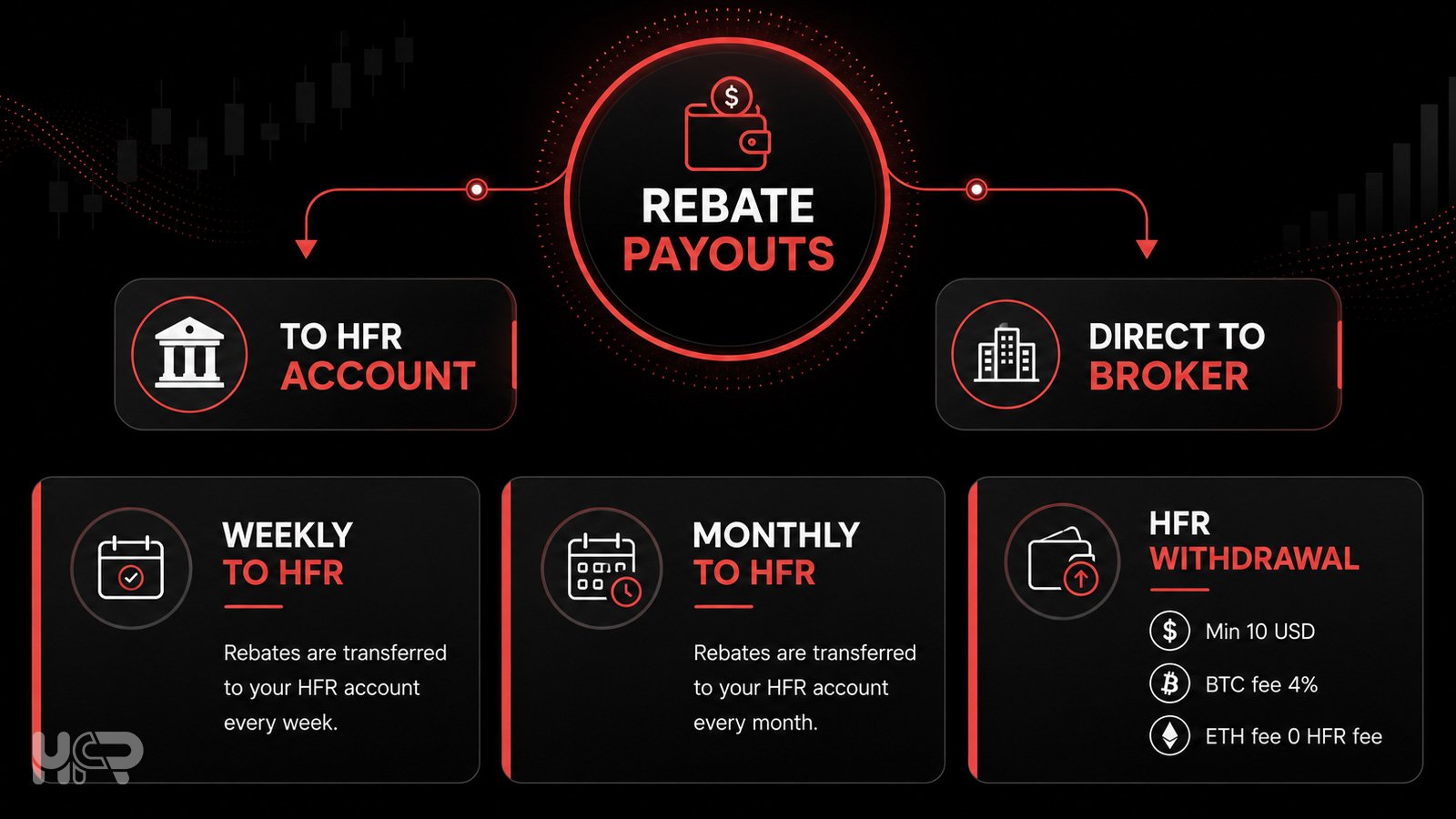
This difference is important because a missing HFR balance does not always mean the rebate was not paid. The payout may have been sent directly to the broker account according to that broker’s rebate conditions.
How to Withdraw Rebates From Your HFR Account
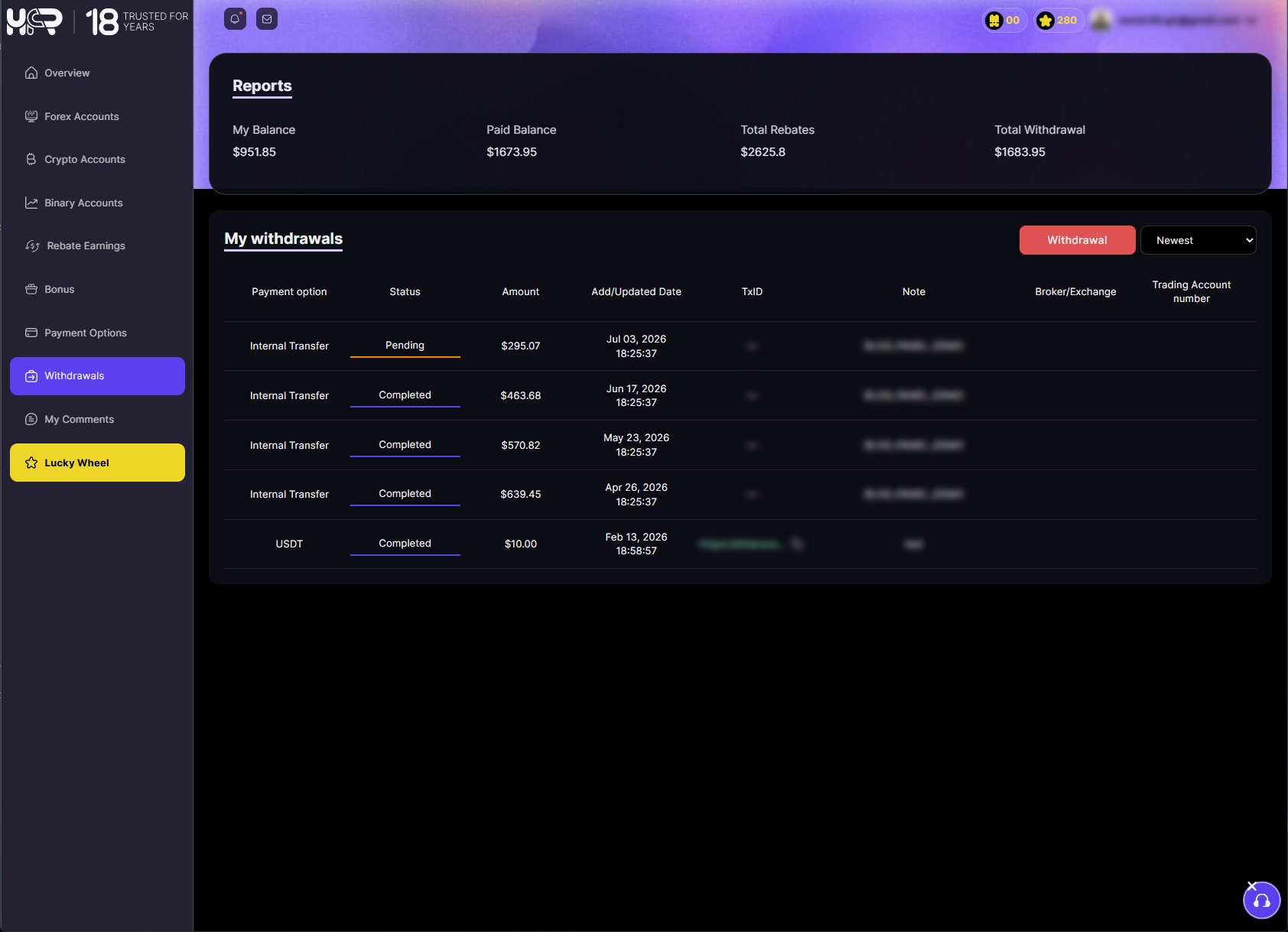
When a broker pays rebates to the user’s HFR account, the rebate balance and payment history can be reviewed inside the HighFxRebates dashboard before requesting a withdrawal.
The current minimum withdrawal amount from an HFR account is 10 USD. If the available balance is below this amount, the user needs to wait until the balance reaches the minimum withdrawal requirement.
HFR account withdrawals currently support BTC and ETH withdrawal options. BTC withdrawals include a 4% HFR fee, while ETH withdrawals have zero HFR fee. However, blockchain network fees may still apply depending on the selected network and current network conditions. These network fees are charged by the blockchain network and are not controlled by HighFxRebates.
Users should check the withdrawal address carefully before submitting a request. Crypto transactions may not be reversible if funds are sent to the wrong address or network. If the rebate was paid directly to the broker account, the user should withdraw through the broker’s own process instead of requesting that payout from HFR.
Quick Checklist Before Expecting a Rebate Payout
Before expecting a rebate payout, users should check the main tracking and payment conditions in the HFR dashboard and on the broker’s rebate page.
| Question | Why It Matters |
|---|---|
| Is your account confirmed? | Rebate tracking starts after HFR confirms the account. |
| Were the trades made after confirmation? | Trades made before confirmation are usually not eligible unless broker or HFR rules say otherwise. |
| Is the account type eligible? | Some account types may not qualify for rebates. |
| Is the instrument eligible? | Rebate rates can differ by forex, metals, indices, commodities, crypto CFDs, or other instruments. |
| Did you trade enough volume? | Smaller lot size usually means a smaller rebate amount. |
| Is the payout weekly, monthly, or direct to the broker? | Payment timing and destination depend on the broker’s rebate conditions. |
| Is the payout going to HFR or the broker account? | HFR account payouts appear in the HFR dashboard, while direct payouts should be checked in the broker wallet or account area. |
| Did you check the HFR message box and email? | Pending or rejected accounts may include instructions or rejection reasons. |
Before opening or linking a trading account, users can compare forex rebate rates and payment schedules on HighFxRebates to understand the account types, payout destination, and rebate conditions before trading.
Risk and Cashback Note
Forex and CFD trading involve risk and may not be suitable for all users. Cashback may help offset part of the eligible trading costs after confirmation, but it does not reduce market risk, leverage risk, execution risk, spread risk, swap cost, slippage risk, broker risk, or the risk of loss.
FAQ
What is a forex rebate payment?
A forex rebate payment is cashback paid after an eligible trading activity is confirmed. It may be calculated by lot size, pips, spread, broker commission, or another broker-specific rebate formula.
When does HFR rebate tracking start?
HFR rebate tracking starts from the time your trading account is confirmed by HighFxRebates. Trades made before confirmation are not eligible unless the broker or HFR rules say otherwise.
What does confirmed account status mean?
Confirmed status means the account has been approved for eligible rebate tracking from the confirmation time. After confirmation, eligible trades can be tracked according to the broker’s rebate rules and payout schedule.
What should I do if my account is pending?
If your account is pending, HFR may still be checking whether it is under the correct tracking. If it stays pending for more than 24 hours, check your email inbox, spam folder, and HFR message box for linking or transfer instructions.
What should I do if my account is rejected?
If your account is rejected, check the HFR message box first. The rejection reason is usually written there and may include wrong account details, unsupported account type, account not under HFR tracking, or broker rejection.
Why is my forex rebate lower than expected?
Your rebate may be lower because of smaller lot size, Cent account scaling, unsupported instruments, wrong account type, broker reporting delay, bonus restrictions, or trades made before account confirmation.
Are trades made before confirmation eligible for rebates?
Usually, no. Rebate tracking starts from the time your account is confirmed by HFR. Trades made before confirmation are not eligible unless the broker or HFR rules say otherwise.
What is the difference between HFR account payout and direct broker payout?
With an HFR account payout, rebates appear in your HFR dashboard balance and rebate history. With a direct broker payout, the rebate is paid to your broker account or broker wallet, so you need to check the broker’s account area.
What is the minimum HFR withdrawal amount?
The current minimum withdrawal amount from an HFR account is 10 USD. BTC withdrawals include a 4% HFR fee, while ETH withdrawals have zero HFR fee.
Does cashback reduce trading risk?
No. Cashback may help offset part of the eligible trading costs after confirmation, but it does not reduce market risk, leverage risk, execution risk, spread risk, swap cost, slippage risk, broker risk, or the risk of loss.
 7
7
Share Posts


Further Reading
- Weekly Market Recap, 19–25 October 2026: Gold and Silver Fall as Crypto Flows Diverge
- Bitcoin, Ethereum, Solana, Gold and Silver: Daily Technical Outlook After the October Pullback
- Why Forex Spreads Widen: News, Rollover, Liquidity and Volatility
- What is Proof of Reserves on a crypto exchange? What it shows and what it does not